
Postvak
Modern webmail for your own hosting.
Mail, calendar, tasks and contacts in one place, on your computer, tablet and phone. You install Postvak on your own hosting plan: your mail stays on your own server, with no ads and no big tech company looking over your shoulder.
Free · MIT licenceRuns on · ordinary hostingLanguages · English and DutchAs an app · iPhone, Android, PC
Why Postvak?
Your own server, your own mail
Postvak talks directly to the mail server of your hosting plan. Nothing goes to an outside service: no tracking, no ads, no profiling.
Runs on ordinary hosting
No server of your own or technical skills needed. PHP and MySQL, upload by FTP and an installer that checks everything. Tested on Plesk.
Free, for good
Postvak is open source (MIT). Use it, change it, share it. Find it worthwhile? You can support its development on Ko-fi.
Everything you expect from modern mail
Postvak feels like Gmail, but on your own domain.
- One inbox for all your addresses, or per account
- Conversations, labels, search with filters
- Swipe on your phone, with undo
- Quick reply, send later, snooze
- Large files as a download link
Smart
- Inbox tabs: Primary, Promotions, Social, Updates
- One-click unsubscribe from newsletters
- A reminder when nobody replies
- Rules and out-of-office replies
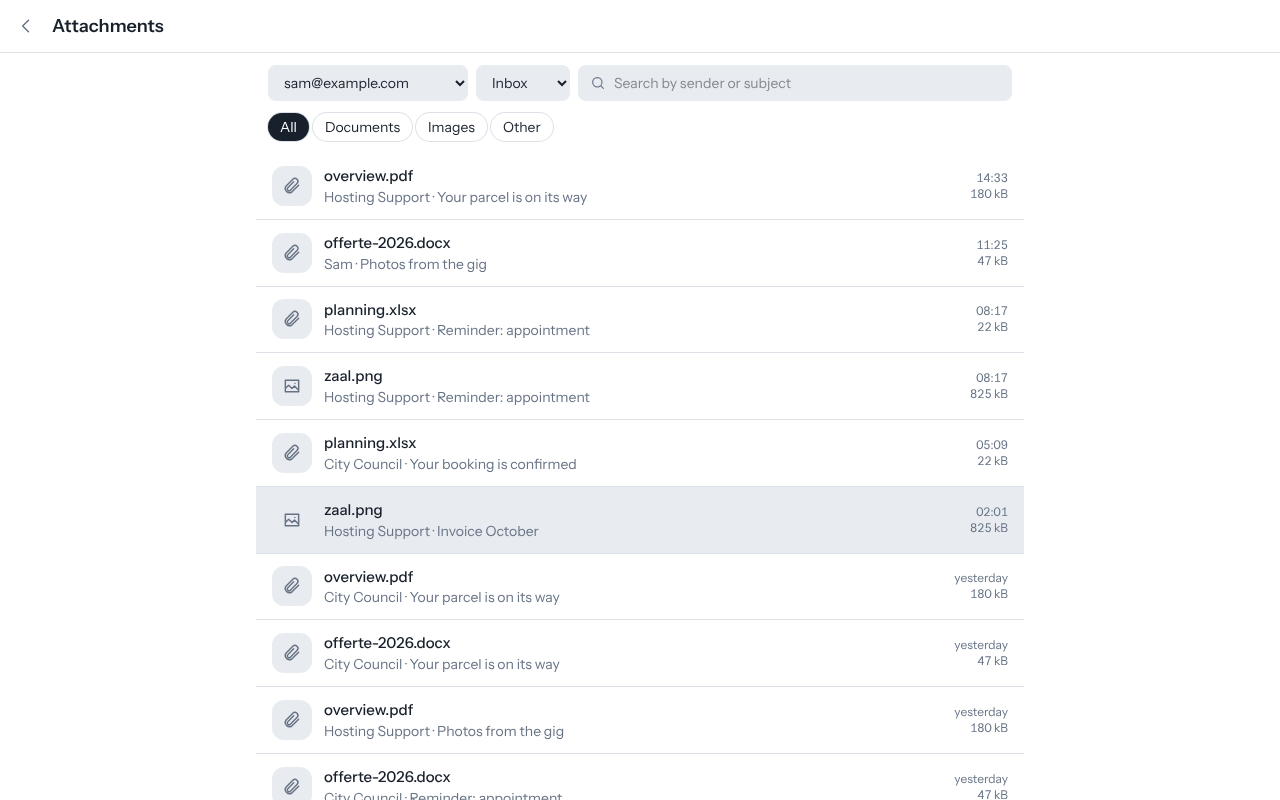
- All attachments at a glance
Calendar and tasks
- Month, week, day and list view
- Reminders as notifications
- Answer invitations from the mail
- Your contacts’ birthdays
- Syncs with iPhone and Android
Contacts
- Like Google Contacts: photo, company, addresses
- Groups, also to mail a whole group
- Import and export (vCard)
- Syncs with your phone
Everywhere
- Install it as an app on phone, tablet and PC
- Push notifications for new mail
- Updates itself
- Offline reading, light and dark theme
Safe
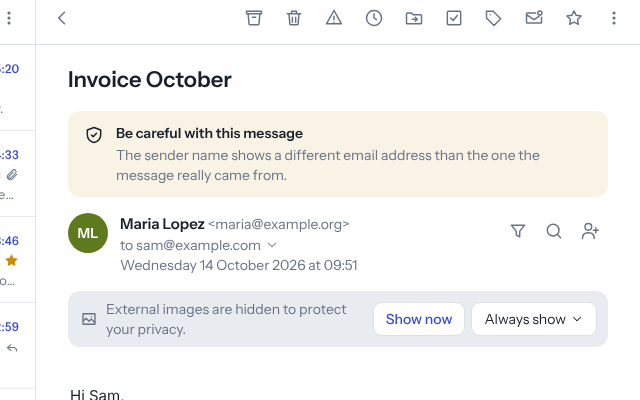
- Remote images blocked until you allow them
- A warning on suspicious or forged mail
- Two-step verification (authenticator app)
- Passwords stored encrypted
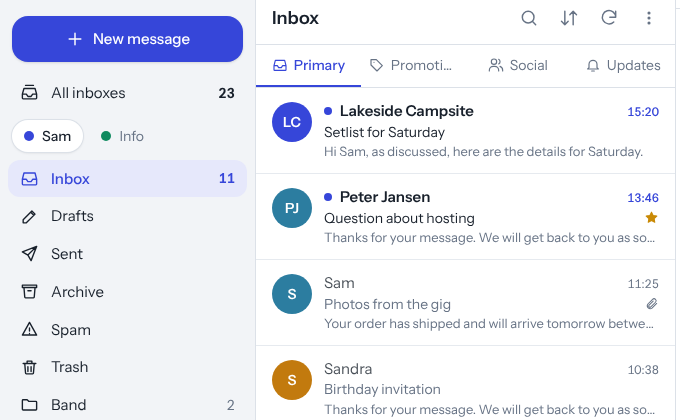
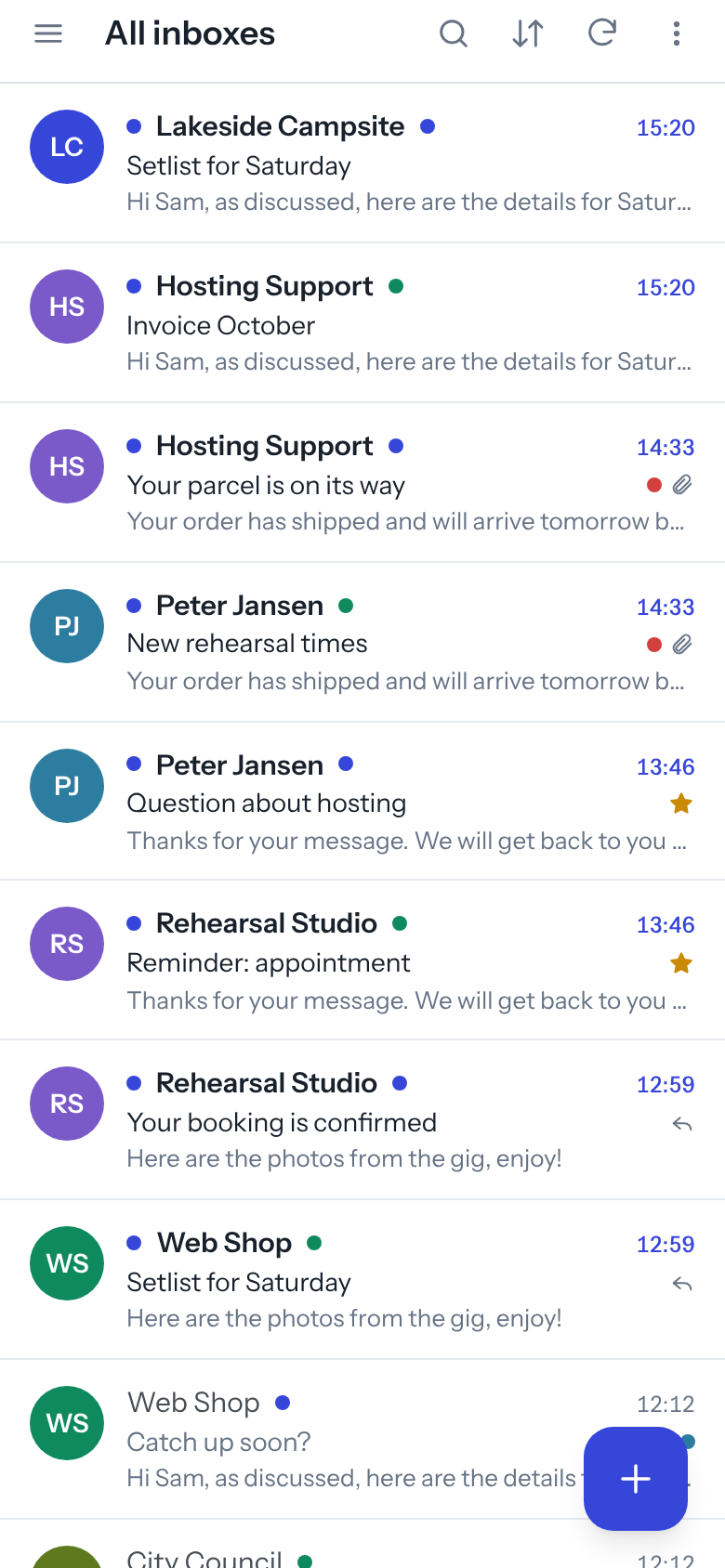
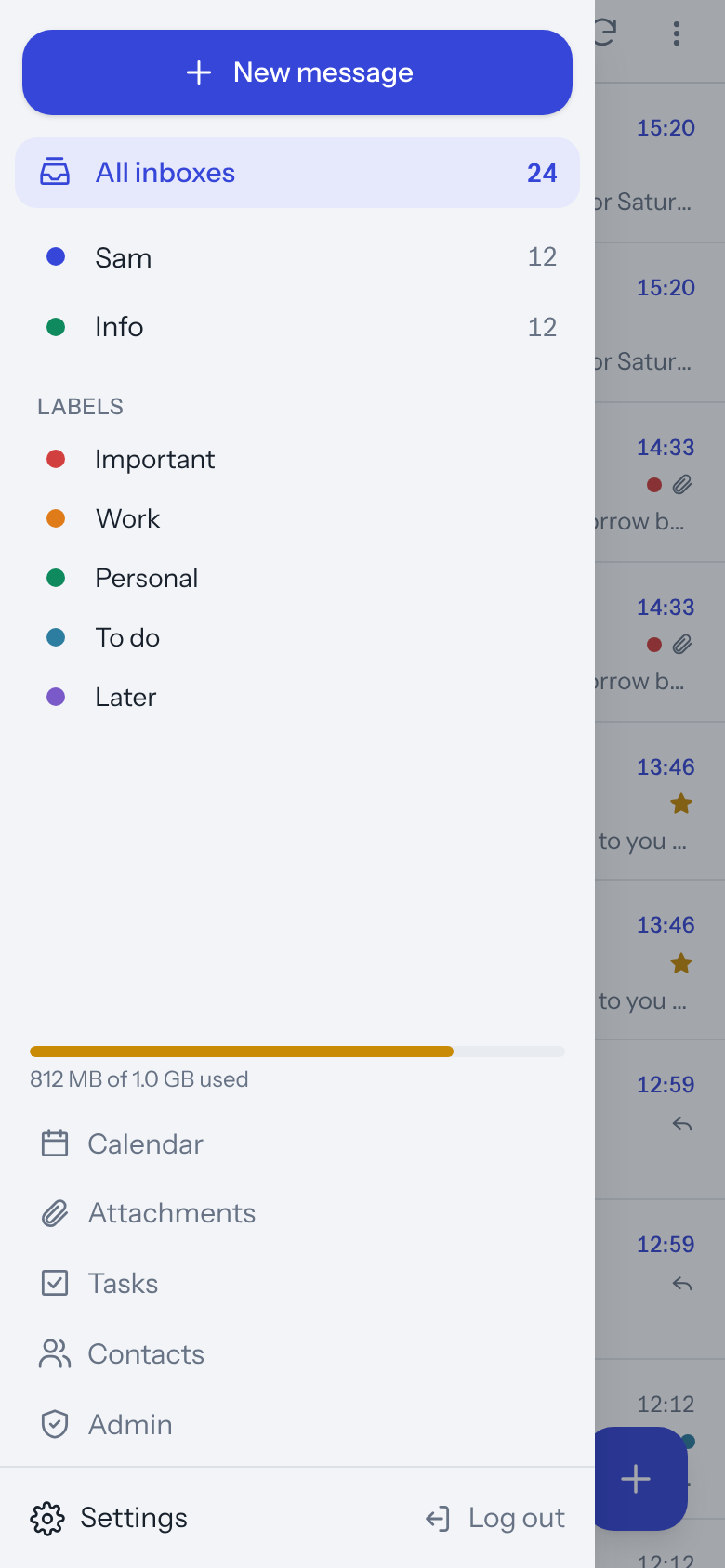
What it looks like

On your phone too
Add Postvak to your home screen and it works like a real app, with notifications for new mail.
What do you need?
- A hosting plan with PHP 8.2 or newer and a MySQL or MariaDB database
- A mailbox with your host (IMAP and SMTP), as with almost every plan
- HTTPS (a free Let’s Encrypt certificate is fine)
- Recommended: a scheduled task (cron job) every 5 minutes, for notifications, rules and reminders
Installed in four steps
- DownloadGet the latest version from GitHub and unzip it.
- DatabaseCreate an empty MySQL database in your hosting panel.
- UploadPut the files on your (sub)domain by FTP, for example mail.yourdomain.com.
- InstallOpen install.php and fill in the form. Done: log in with your mail address.
Frequently asked questions
What does Postvak cost?
Nothing. Postvak is free and open source under the MIT licence. You only pay for your own hosting, which you probably already have.
Where is my mail kept?
On your host’s mail server, just like now. Postvak is a window onto that mail; it does not copy your messages anywhere else.
Can I use my existing mailbox?
Yes. You log in with your existing address and password, and you can keep using Outlook, Thunderbird or the mail app on your phone alongside it.
Does it work with several addresses?
Yes. Add all your addresses and read them together in All inboxes or per account, each with its own colour and signature.
Is it safe?
Mail is cleaned on the server and again in the browser, remote images are blocked by default and you can switch on two-step verification. Mailbox passwords are stored encrypted.
I’m not technical. Can I do this?
If you can upload files by FTP and create a database in your hosting panel, yes. The installer checks your server and tells you what is missing, and the guide explains everything step by step.
Do you like Postvak?
Postvak is free and will stay free. I build it in my own time. A small contribution on Ko-fi helps pay for new features, updates and support. Thank you!